When we launched the YourSpec Wiring Project Manager we created some templates for common automotive standalone ECUs. These templates could be viewed by using the search functionality of our project manager to view the template project and then cloning it.
To improve this process, we have created a new feature. When creating a project in our Project Manager, a prompt will now appear which offers the option to start from scratch, or, a template:
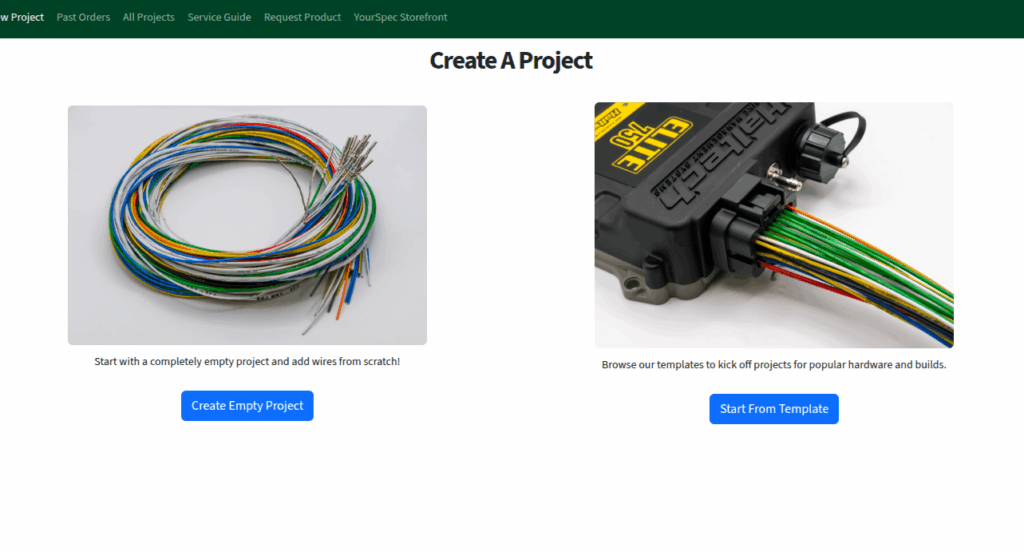
If “Create Empty Project” is chosen, the original project creation interface will appear. If “Start From Template” is selected, the new template selection page will appear.
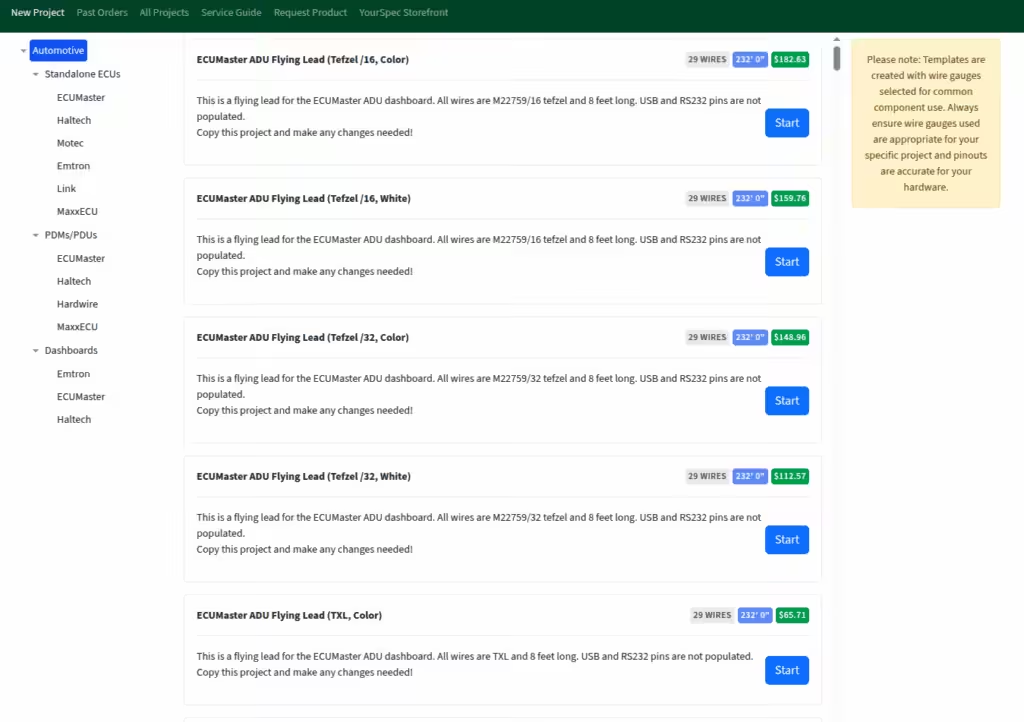
The templates are categorized by type and the categories can be browsed on the left of the screen. When clicked, the template list in the middle of the screen will be filtered by the chosen category. The template title, description, wire count and length, and estimated price are shown in the list.
Clicking the “Start” button will clone the template and immediately go to the edit project page to begin work!
In adding this feature, we realized some of our original templates needed attention. We have gone through and updated every one of our existing templates to check them for accuracy and ensure each wire was marked with general purpose as well as connector / position information. We also have greatly expanded our template offerings and plan to continue to do so over the upcoming weeks!
As always, please let us know if you have any feedback on this feature or any requests for templates!